Catalog & Models
Deva has two catalogs: the API Catalog (agent-payable tools/APIs) and Models (LLMs). Both are browsable in the dashboard.
Deva has two catalogs: the API Catalog (agent-payable tools/APIs) and Models (LLMs). Both are browsable in the dashboard.
API Catalog
The API Catalog lists live, agent-payable resources — "grouped by the categories agents use most."
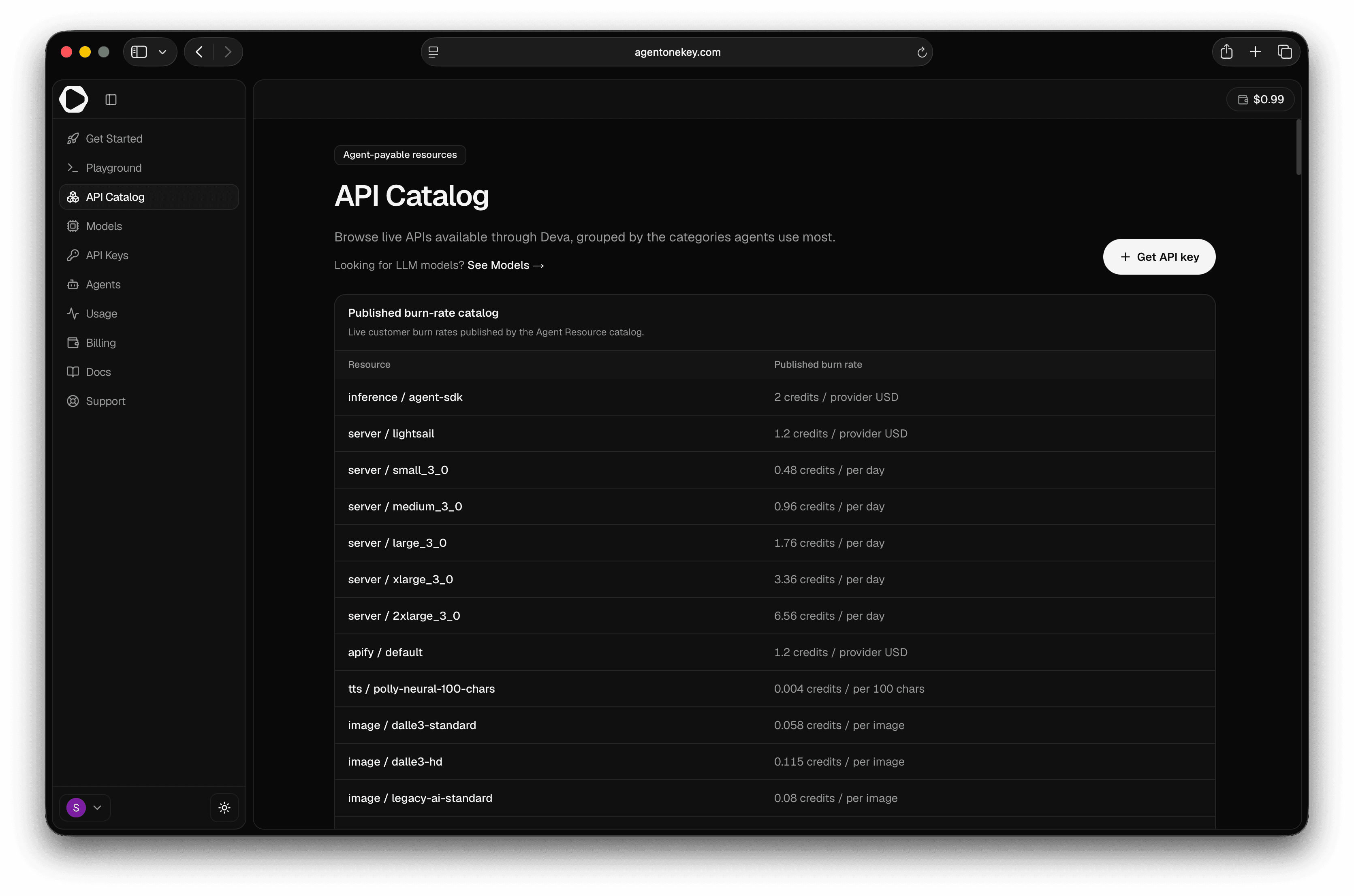
- Search by name, provider, or description.
- Sort — Most used (default), Name A–Z, or Provider A–Z.
- Filter by category — Social, Music & Audio, Video, E-commerce, Search & SEO, Finance & Crypto, Travel, Knowledge & Data.
- Get API key (top right) → Keys.
Each resource card shows its burn rate, sync/async kind, and endpoint count. Select Open in
Playground to try it (this preselects it via ?api={slug}). Expand Endpoints to see the
inspect / estimate / run / poll paths and which need a key. A Published burn-rate catalog
table lists live per-resource rates.
→ Call these via the resource rail.
Models
The Models page lets you "compare every LLM model available through your Agent One Key by provider, capability, context window, and credit price."
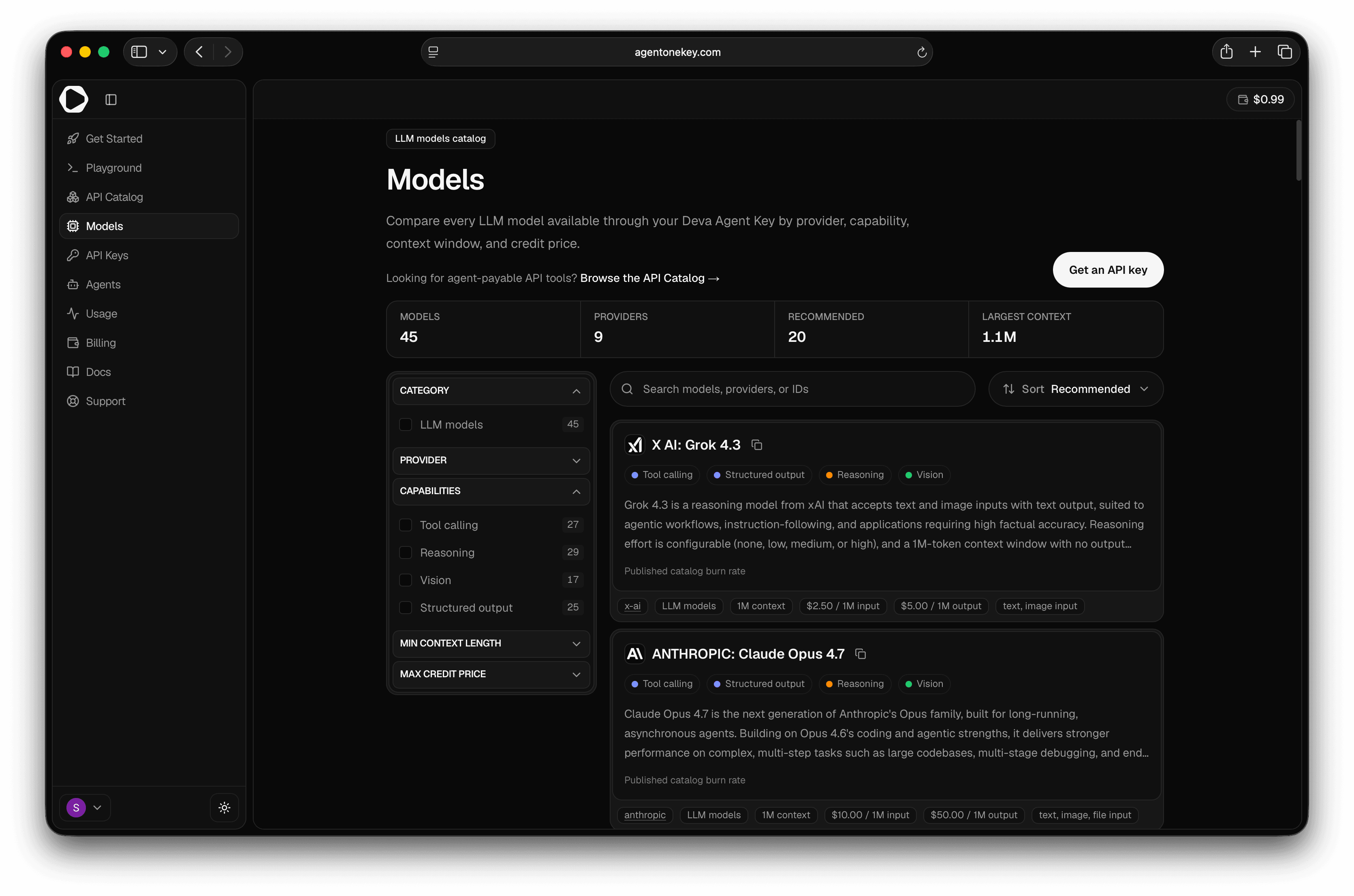
- Header stats: Models, Providers, Recommended, Largest context.
- Search and Sort (Recommended, price, output tokens, context, name).
- Filter by Category, Provider, Capabilities (Tool calling, Reasoning, Vision, Structured output, Streaming), Min context length, Max credit price.
- Get an API key → Keys.
Model detail
Each model page has a Copy model id button, context/output/burn-rate stats, a
capabilities list, related models, and a Quick start (#quickstart) with drop-in
snippets — cURL, JavaScript, and SDK (@deva-me/agent-sdk) — against the
OpenAI-compatible endpoint. The sidebar notes: "$1 equals 1 credit."
Resources vs models
The API Catalog is payable tools (called via the resource rail); Models are LLMs (called via
/v1/chat/completions). → Resources vs models
Next steps
- Playground — test any catalog API
- The resource rail · Calling models
Playground — test a call & estimate cost
The Playground lets you _'pick any catalog API, estimate the request, run it with an agent key, and inspect the settled response'_ — right…
Usage & analytics
The Usage page — _'Spend & activity across your API resources'_ — shows how much you're spending, on what, and how it's trending.