Playground — test a call & estimate cost
The Playground lets you _'pick any catalog API, estimate the request, run it with an agent key, and inspect the settled response'_ — right…
The Playground lets you "pick any catalog API, estimate the request, run it with an agent key, and inspect the settled response" — right in the browser, before you wire it into an agent.
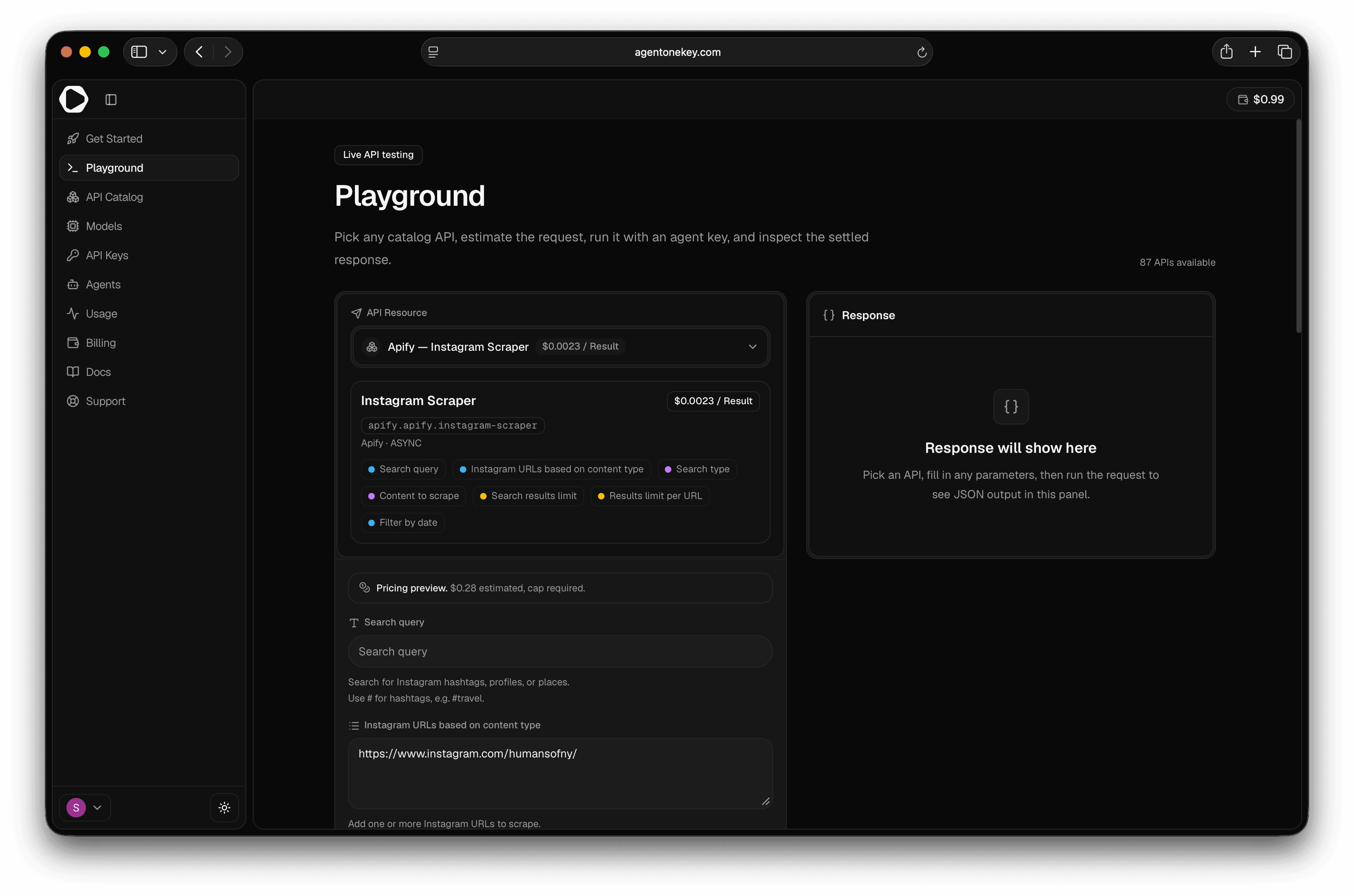
1. Select an API
Use the API Resource picker (search by name, provider, or category). Opening a resource
from the Catalog preselects it via the ?api=<slug> URL. The picker
groups a Popular set plus per-provider lists.
2. Fill in parameters
The form is generated from the API's schema — text, number, select, boolean, array, and JSON fields as needed. Inline validation flags anything missing or malformed (e.g. "{field} is required.", "{field} must be valid JSON."). APIs with no inputs show "This API runs with defaults only."
3. Paste an agent key
Under Agent API key, paste a deva_ key (placeholder deva_i1_...). "Run and poll use
this key. Catalog and estimate calls stay public."
The key must start with
deva_— otherwise the run button is disabled with "API key must start with deva."_ Get one on the Keys page.
4. Set a max charge (only when required)
For non-deterministic or unpriced endpoints, a Max charge field appears: "This endpoint is non-deterministic, so the backend requires a maximum USD cap before it starts the run." It's pre-filled from the estimate; adjust as needed. (Deterministic endpoints don't need one.) → Governing spend from the API
5. Estimate (automatic)
A Pricing preview updates live as you edit inputs — showing the estimated cost and whether it's deterministic. No charge is incurred for estimating.
6. Run
Select Run request. The button shows Running… while it polls to completion (up to ~2 minutes). Your balance refreshes after each run, and you get a success/failure toast.
7. Read the response
The response panel shows the settled result: provider, item count, actual cost, a Succeeded/Error badge, response time, and the JSON body (with a copy button).
- Recent runs keeps your last 10 for quick comparison.
- Code snippets (cURL / Node.js / Python) generate the same call against
https://api.deva.me/v1/agents/resources/run/{slug}.
Next steps
- The resource rail — the same flow via API
- Catalog & Models
- Set per-key spend caps